IC Cards
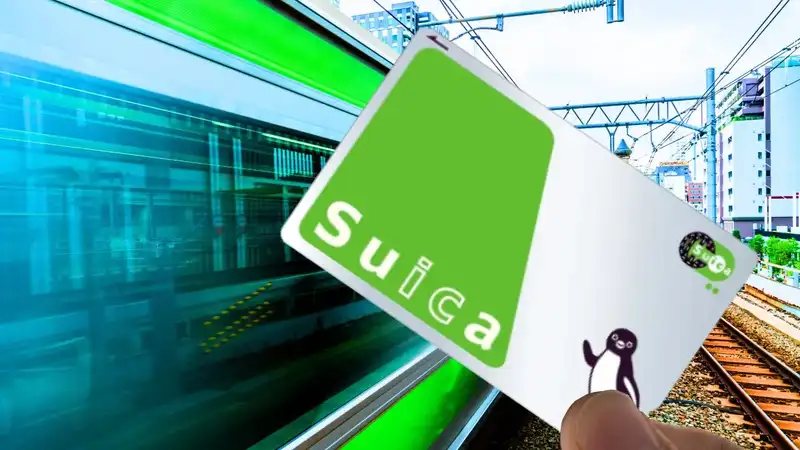
Much of Japan’s public transport options depend on the use of a so-called IC Card for payment. Here I will explain what it is, how to get one, how to manage one, and a very useful alternative.
What it is
In its simplest form, this is a plastic card (exact size of a credit card) with a chip in it for NFC communication. Each card, or chip, has a unique identity, allowing the system to distinguish them. A more detailed explanation is provided on Japan-Guide IC Cards. It also explains where you can and cannot expect to use it.
In short
 When you travel by train or metro, you pass through a turnstile. They look similar to this, and when you see the “IC” displayed, you can use it with the card. If you see a white cross in a red circle, do not use it. It is meant for people coming the other way. Some gates will flip between these two as the situation allows. You will “tap” your card against the blue display (shown here on the gray sloping side with the letters “IC” under it in yellow). You do the same when you exit the station at your destination.
The first “tap” is called “tapping in”, which records on your card that a “travel transaction” has started. The second one (on exit) is called “tapping out” and will attempt to finalize that transaction. At that point, the system will determine the correct charge amount. The card works like a pre-loaded debit card, so the charge is subtracted from its current balance.
Due to its operation, you cannot share a card between members of your party. Once the first “tap in” occurs, the card is in an “in-progress” state and cannot be used to initiate additional transactions.
Uh-oh!
So you “tap out,” and the gates (green in the sample picture) shut on you, refusing to let you exit. Usually, this means that the available balance on the card was not enough for the transaction. You will have to back out and find a machine that accepts coins to add to your card’s balance. Since this still happens before you exit, you can now go back and try again. It could also mean that there is another problem, in which case you will need to seek assistance from nearby personnel.
Other uses
As explained, the card is essentially a smart, pre-loaded debit card. As such, it can also be used for many other purposes, such as paying for convenience store purchases, taxis, and other services. Just look for the “IC” logo.
Amazing infrastructure
The system works very reliably, and the response to a tap is well under a second. This means you can follow right on the heels of another passenger, tap immediately after, and things will still work. Combined with multiple gates, this allows for a high volume of passengers without causing delays (though we did encounter such delays once or twice). In some stations, gates can operate in both directions on a first-come, first-served basis. If somebody in the opposite direction enters the gate you are walking towards first, your “arrow” will immediately change to the “stop” sign, until the gate is ready again. This further optimizes the flow because when a train arrives, all or most gates can serve as exits, and at other times, there can be a balance between directions.
I had a physical ticket, now what?
In some cases, you may have a physical ticket (e.g., Shinkansen). In such cases, you cannot use your IC card. Some, but sometimes not all, will also have a slot where you can insert your ticket. It has a magnetic stripe, allowing it to function. You insert your ticket, the machine “slurps it up” (on entry), and then pushes it out at the far end of the gate for you to collect. You will need to do this because it is required for the exit transaction at the other end. At the destination end, the machine will not “spit out” the ticket; instead, it will retain it.
And then… I went to the Shinkansen and forgot to grab my ticket on the other end. I realized it two minutes later on the platform, before boarding. There was time. I went back downstairs and spoke with the personnel. They asked me where I was going and which gate I had used. I knew, so they went straight to the gate, opened a compartment, took out a box with collected cards, located mine, and gave it to me. From this, I learned that if you don’t take your ticket, the machine will eventually collect it (and won’t “stick” out forever). Lesson learned, problems avoided.
NOTE: On at least one occasion for us, the Shinkansen exit was also a metro entrance. This meant we had to feed our physical ticket first, and then tap in, before proceeding. At other times, there was a “no man’s land” between the Shinkansen exit and the subway entrance. There were also places where the gate did not accept physical tickets. In those cases, somebody was there to collect them, or you had to pass on the side, where there was a desk with personnel who would take your ticket.
How to get an IC Card
IC cards can be purchased at ticket machines and ticket counters of the issuing railway companies. The initial cost consists of a refundable deposit of 500 yen, plus an additional amount (typically ¥1,500) to be charged to the card. For a surcharge, Suica and Pasmo cards can also be purchased and shipped to you in Japan through Japan Experience before your trip. Lastly, iPhone users can add Suica, Pasmo, and ICOCA cards to Apple Pay.
There are many “brands” of IC cards. Functionally, they are all equivalent. The most common one is Suica. A special version of Suica, called Welcome Suica, is available to foreign tourists. The special cards are valid for only 4 weeks, do not require a deposit fee, but do not offer refunds.
In our case, our travel agent provided us with a Manaca IC card. This is the prepaid IC card used by Nagoya’s train, subway, and bus operators, excluding JR and Kintetsu. Nonetheless, it works everywhere Suica, etc., work. Ours was also a “welcome” type, preloaded with ¥1,500. We used it until it was nearly empty, but after that, we did something different (see below under “Alternatives”). We received this particular card because it is from the region where the travel company is located. It is not Tokyo, from where we would depart, so returning for refunds would also not be possible.
How to manage an IC Card
There is no display on the card, so how do you know your balance? Of course, you can use it until you are refused exit, and then go to the machine to top it up. You can also visit a machine proactively, inspect the balance, and top it up if you prefer. A final option I am aware of is to install an app called “Balance” on your phone. With it, you can tap your card against your phone’s reader, and it will display your balance. It can also show you historical transactions. This app eliminates the need to seek out a machine. You can check any card, including those of others in your party.
If your IC card is digital, loaded in your phone’s wallet, you can usually view the balance at any time. You can also typically top it up with various standard amounts, paid by credit card.
In particular, towards the end of your trip, you may want to be cautious and top up your card so you are not leaving the country with a large unused balance. Unless it is a physical card, you cannot reclaim this balance. If reclaiming is not possible due to time constraints or the amount is not worth reclaiming to you, you can mail it free of charge to Second Harvest, where the balance will be recycled and used for charitable causes.
Alternative: The Digital IC Card
I alluded to this earlier. You can purchase an IC card online and install it on your phone. You will never receive a physical card, and tapping in and out is done with your phone instead, or possibly your wearable device, such as a watch.
We did this on our iPhones. We bought a digital Suica card and loaded it with some balance before we even departed. Why did we do this despite receiving a pre-loaded card? To avoid ever having to visit a machine to inspect the balance, top up, or rectify a tap-out with insufficient balance. The machines are not the biggest problem in the world (I presume, we never used them), but you need to have cash on hand. Depending on the situation, you may also have to wait until a machine is available.
For the Apple universe, or with any other wearable that supports NFC transactions, both the phone and the watch should work for tapping in and out. As a practical matter, the tap pads are always on the right-hand side, and most folks wear the watch on the left wrist. Using it would require a somewhat awkward upper-body twist; we never did.
NOTE: Generally, you can use your phone for tapping in or out while the lock screen is active. There is no need to unlock first. The Apple Wallet can be configured to indicate which card to use for “Express Transit,” and your card will then be automatically used. However, if your phone has not been unlocked since a power cycle or has not been unlocked for too long, it will have entered a secure mode. If that is the case, and you “tap,” a beep will result, and the gates will shut. When you look at your phone, you will notice that your passcode is required first, or you will see the “double click to pay” prompt. This happened to us a few times. Also, do not open your wallet before tapping and displaying anything other than the transit card. If you do, the machine will only see your credit or debit card and beep, shut the gates, etc. Of course, this is easily fixed by selecting the right card or going to the lock screen and trying again.